Spotify Tempo
A little more
in your
rhythm.
Your music. Your movement.
Interactive product concept
Live prototype · Start a workout and explore the flow.
- Role
- Product design & prototyping
- Project
- Independent Spotify concept
- Focus
- A broader workout experience
01 / Before Tempo
Start with what’s familiar.
Spotify’s existing screens set the visual language:
dark surfaces, clear controls, and familiar navigation.
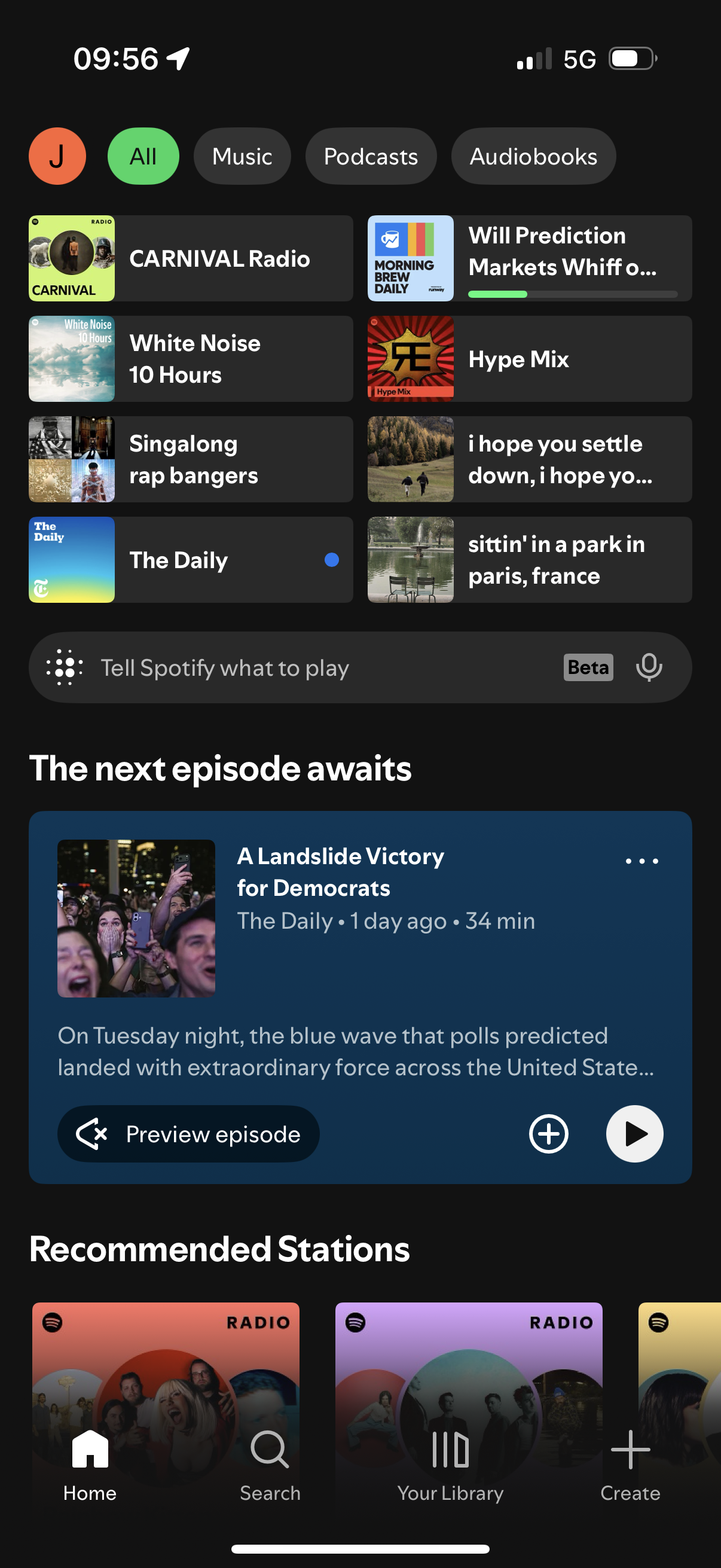
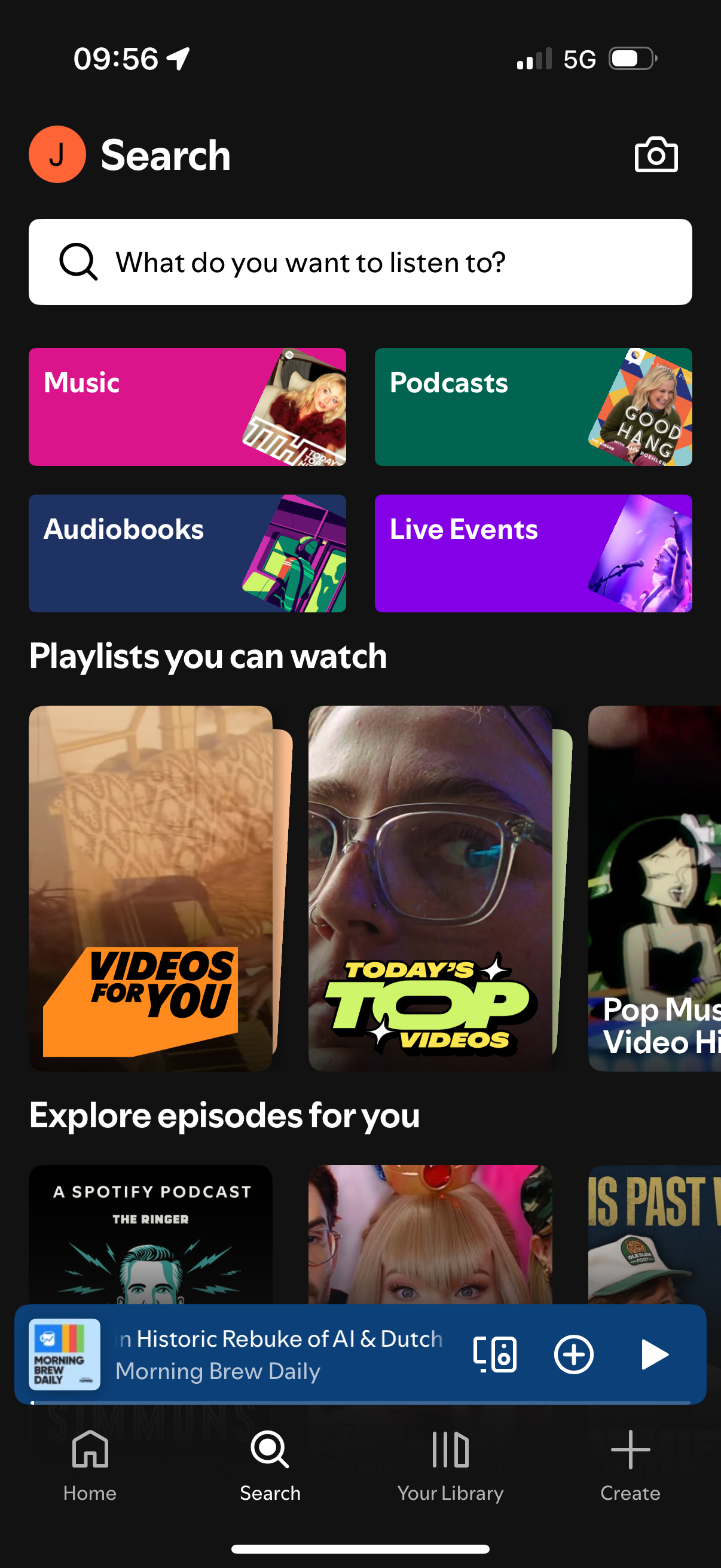
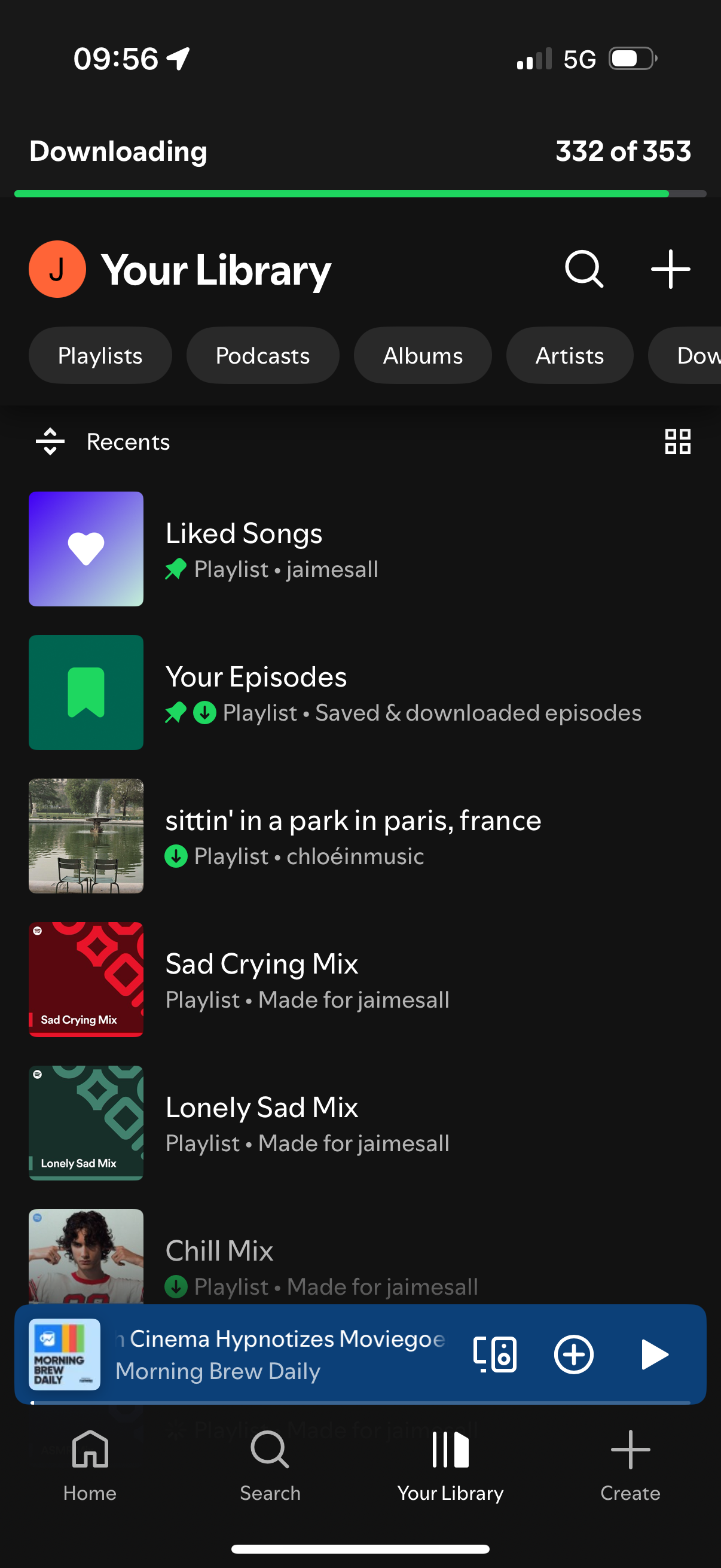
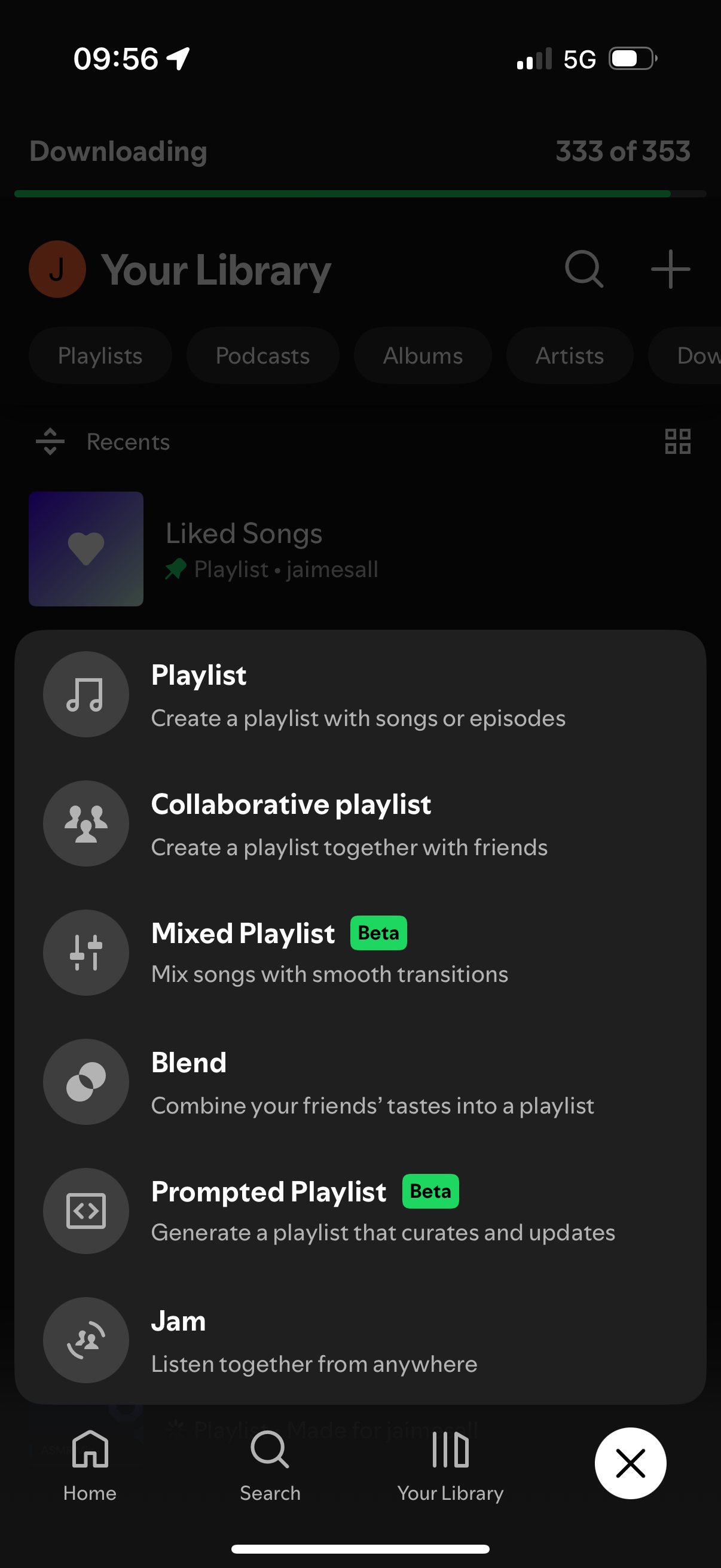
Original screenshots · Select a screen to see it at full size.
The direction
Make the workout
part of the listening.
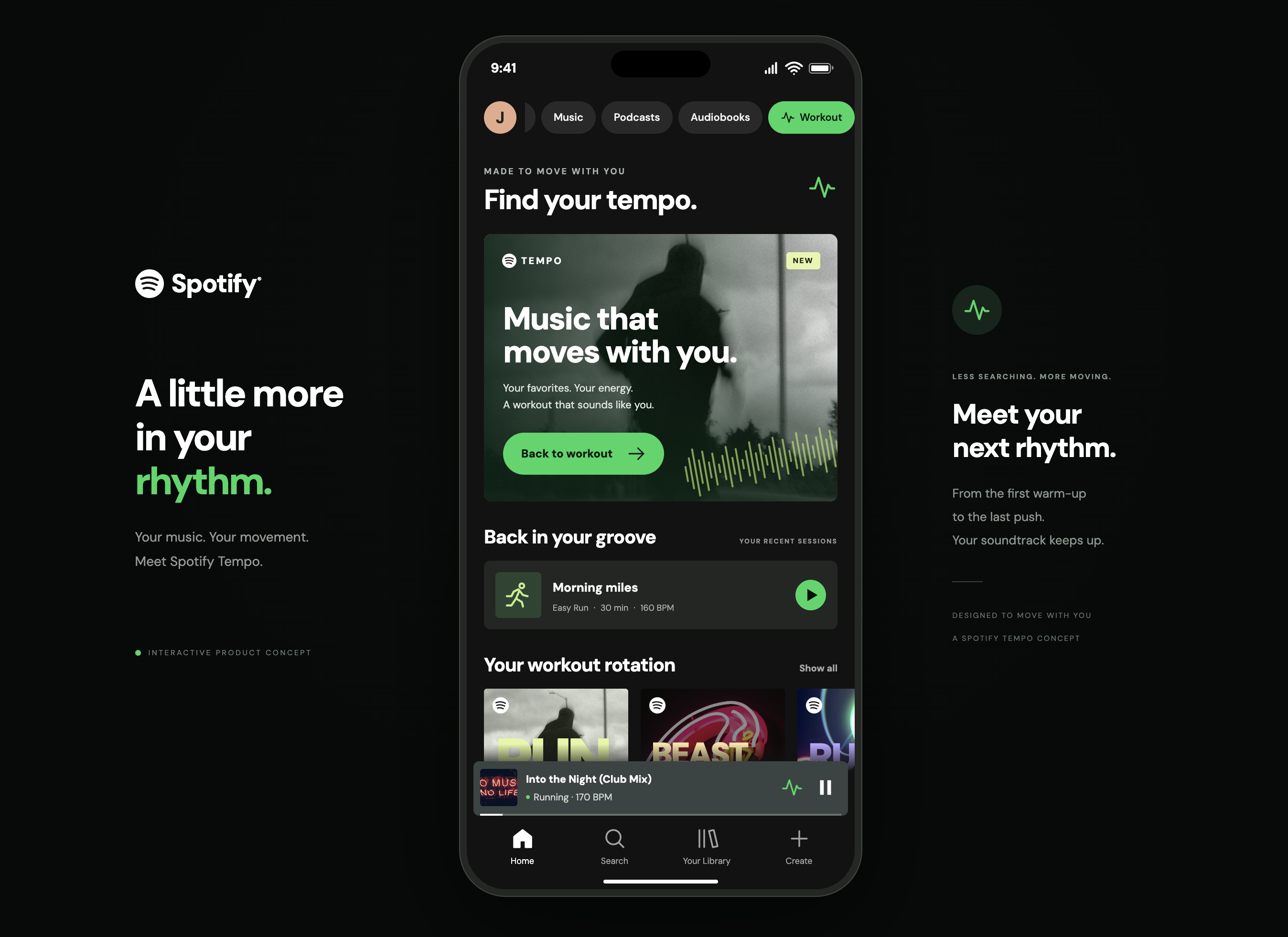
Tempo explores a workout flow inside Spotify: choose how you want to move, set your session, then find a mix of familiar favorites and new music.
Spotify already offers Running Mode. This concept explores a broader workout setup and interface, rather than claiming tempo-matched running as a new idea. Product context
02 / Choose your movement
Start with
the workout.
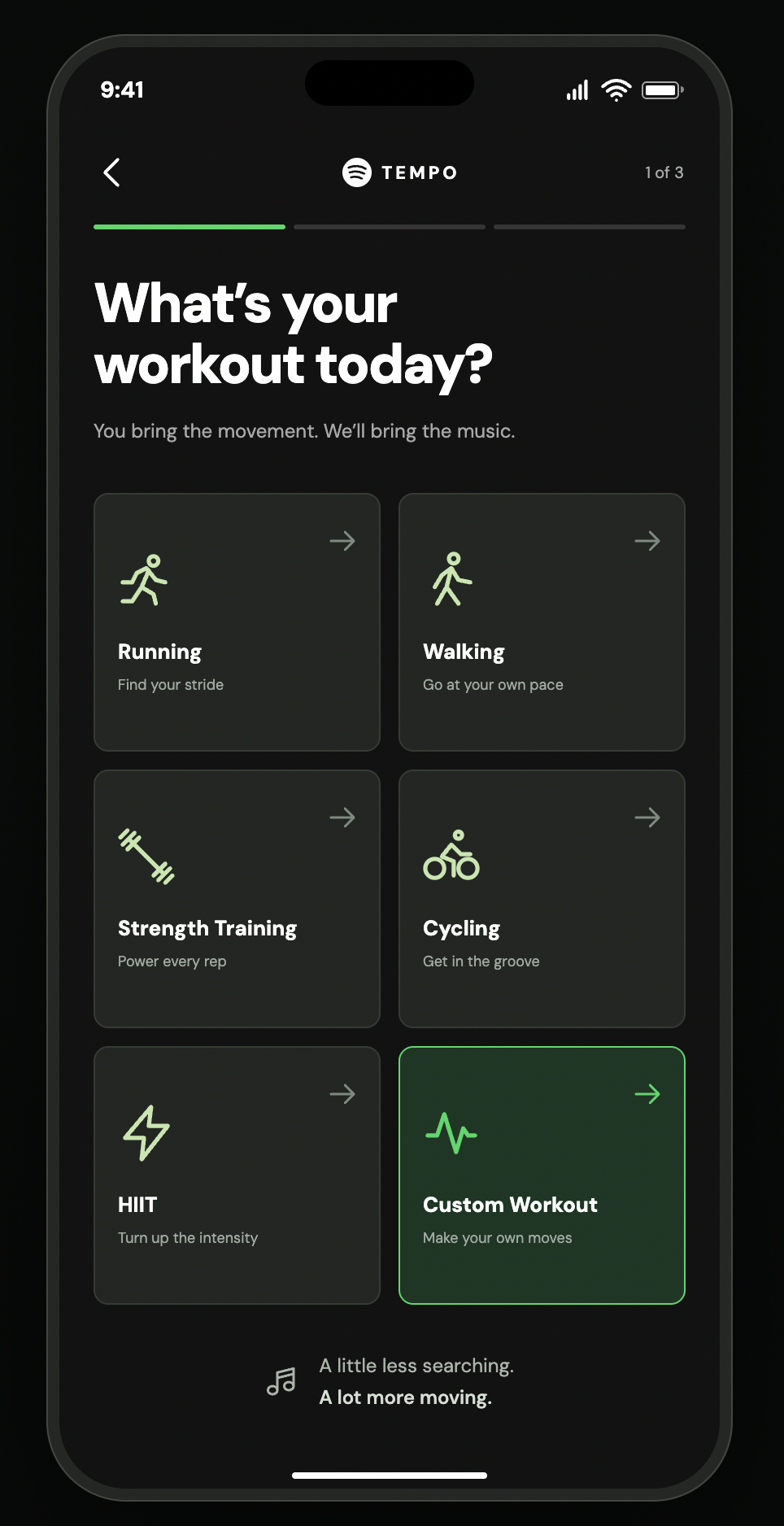
Running, walking, strength training, cycling, HIIT, or a custom session. One clear choice starts the flow.
The example continues with a run.
03 / Shape the session
Your pace.
Your tempo.
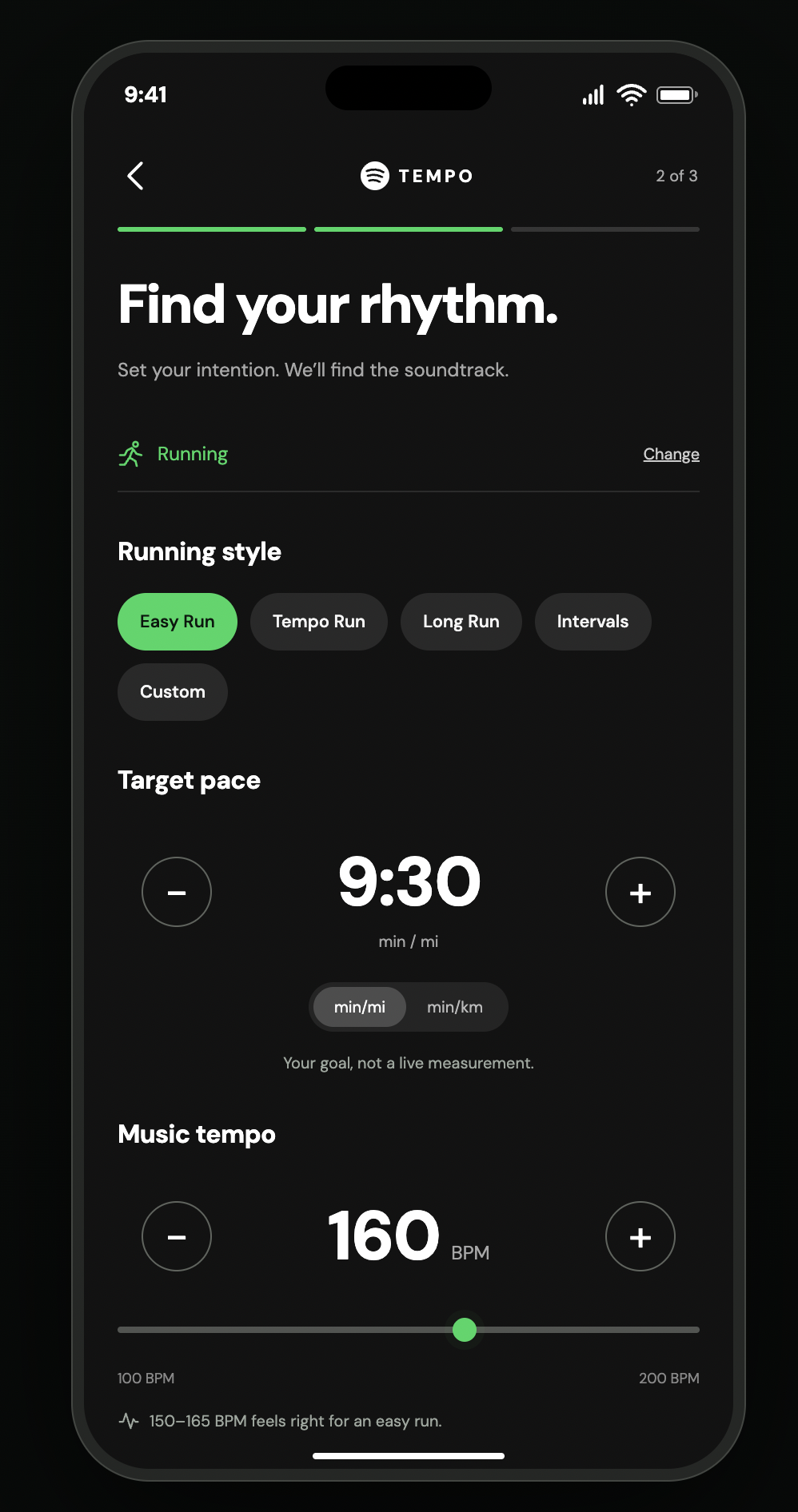
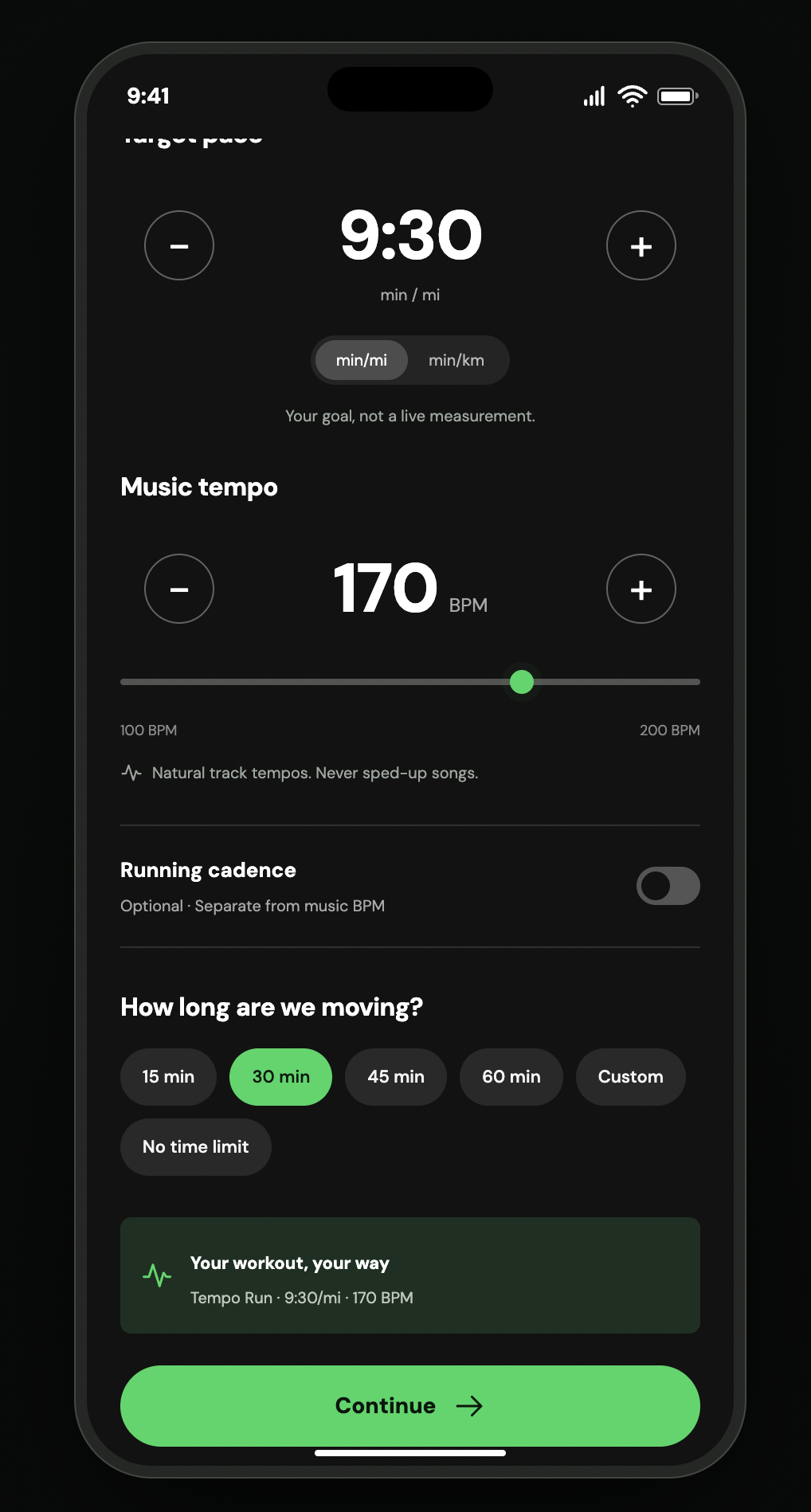
Choose a running style, target pace, music BPM, and duration. Pace and music tempo stay separate; the proposed music selection preserves each track’s original speed.
04 / Make it yours
Keep the music
that moves you.
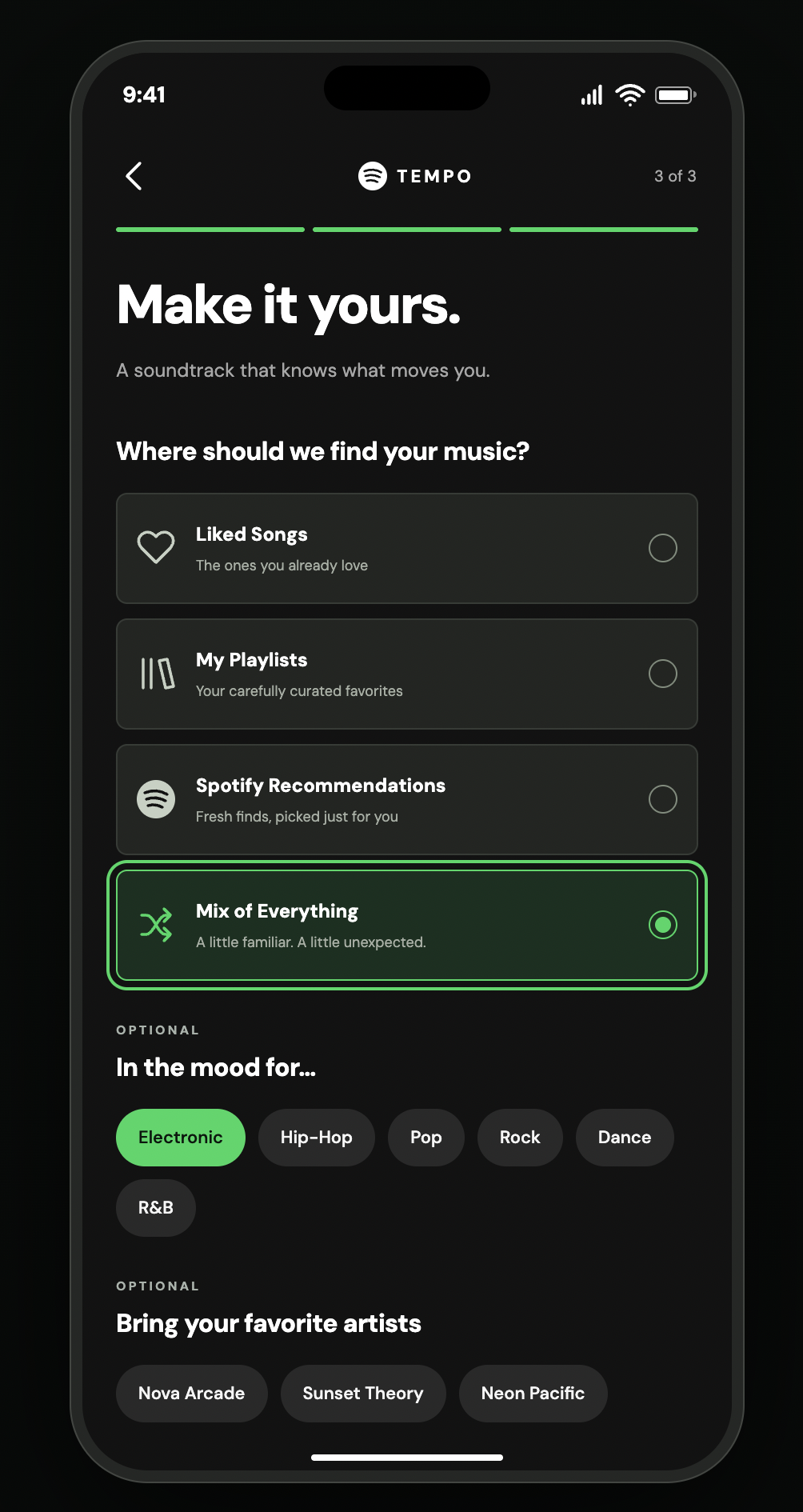
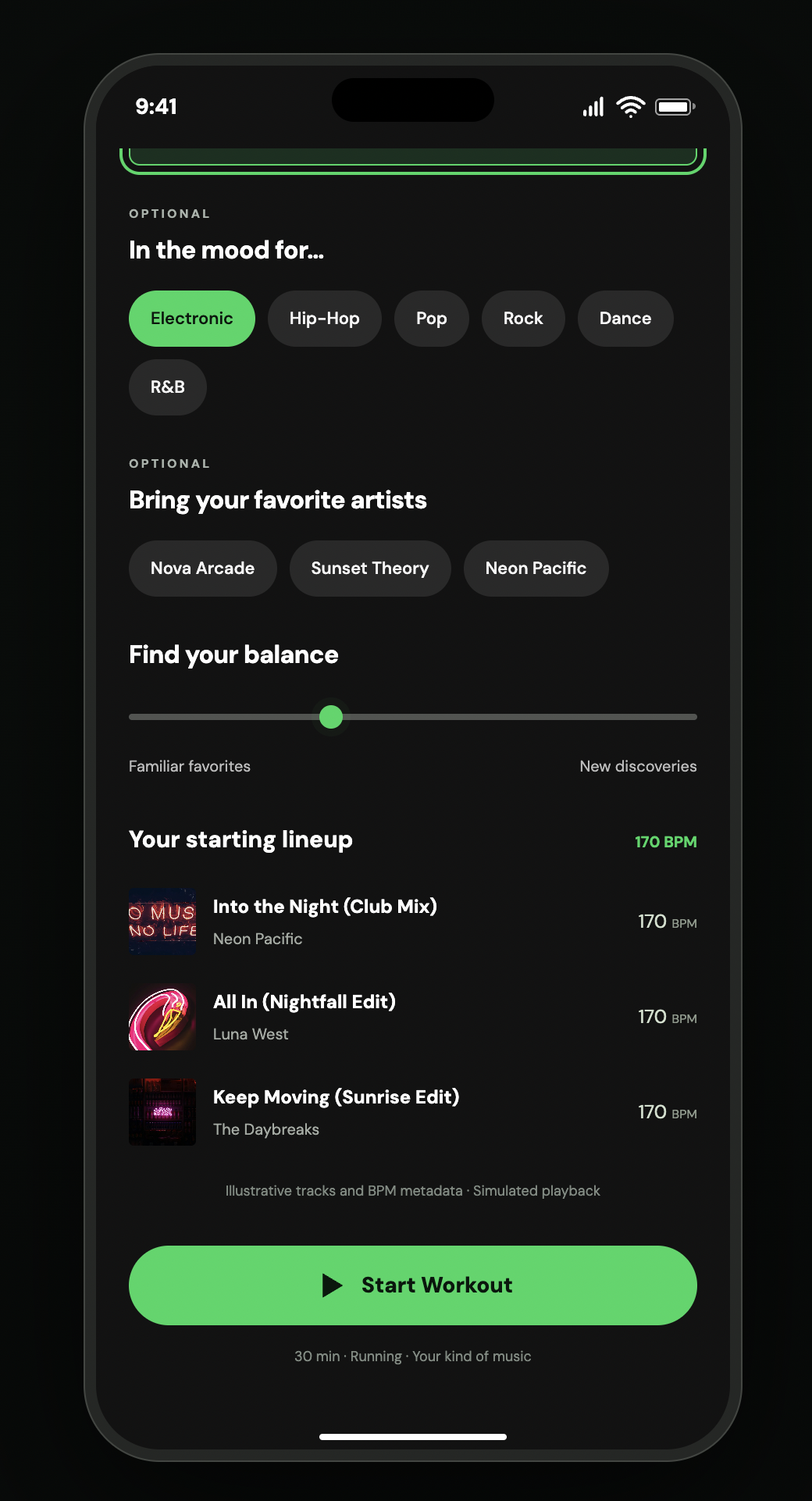
Choose Liked Songs, playlists, recommendations, or a mix. Add genres and artists, then adjust the balance between familiar favorites and new discoveries.
05 / Keep moving
The session,
at a glance.
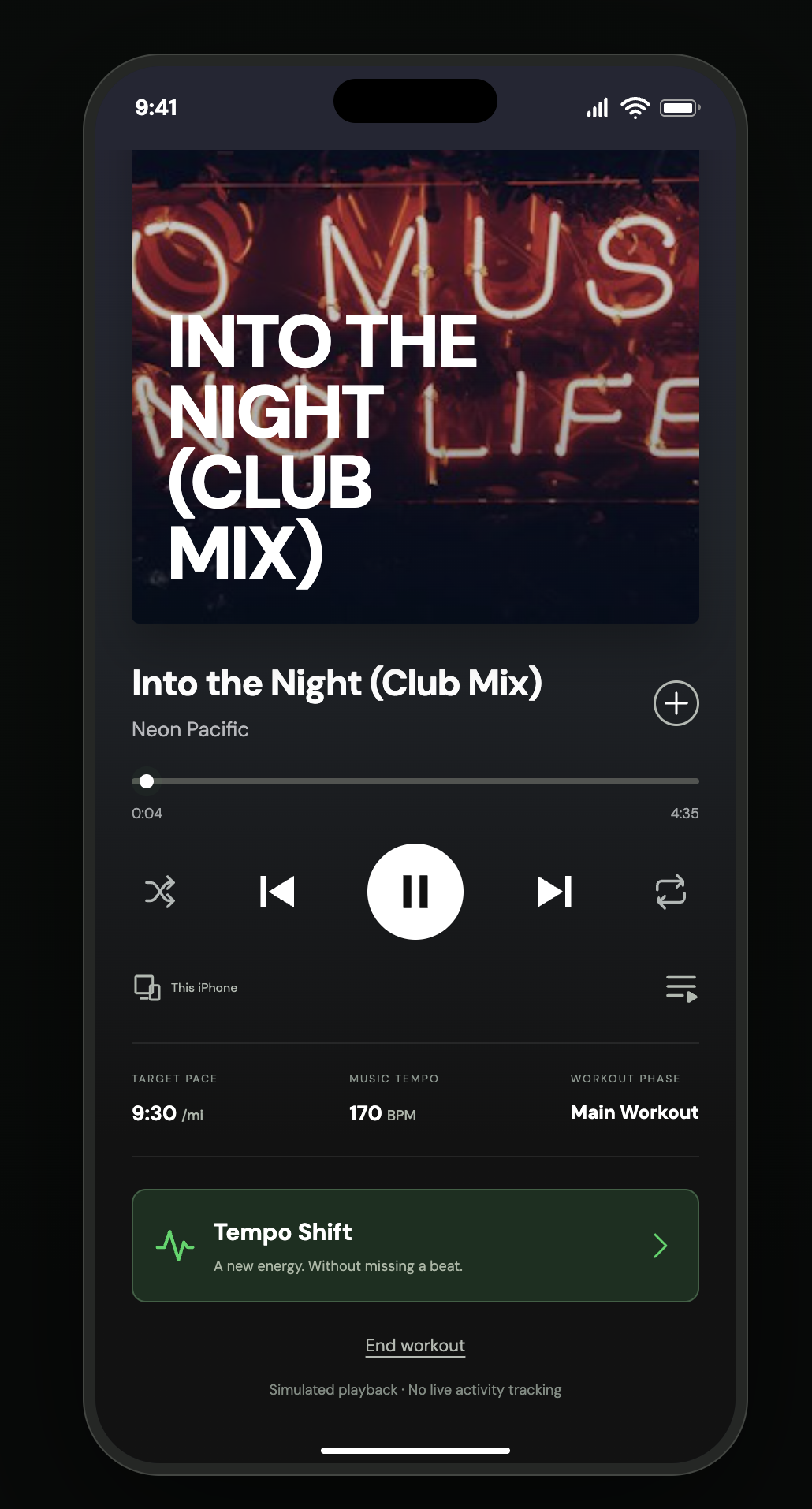
Playback stays familiar. Target pace, music tempo, and workout phase sit together, with a Tempo Shift action within reach.
The prototype uses illustrative tracks and simulated playback. It does not track live activity.
View the full concept board
Project notes & sources
Play the published Tempo prototype
Existing Spotify UI and the Tempo concept screens are shown separately. All screenshots were supplied for this case study and are displayed unchanged; the regular Spotify screens have CSS device frames.
Spotify’s published Running Mode includes session and music-personalization controls. Tempo is presented as a workout experience exploration. No original user research, live Spotify integration, or measured outcomes are claimed.